
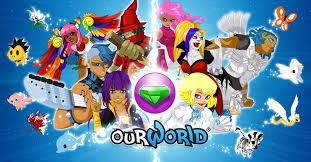
Released September, 2008
Developed by FlowPlay
The other day, I stumbled upon a company whose name caught my attention. FlowPlay is a creator of community-based virtual worlds within their online gaming platform. Near the top of their website’s homepage is the tagline “flow: completely immersed in an experience.” The name and tagline alone were enough to pull me in. I wanted to see how the games created by a company named after flow would actually promote that experience. FlowPlay has two main titles: Vegas World and ourWorld. Both games involve players creating an avatar and entering an online social world that includes a variety of games and activities. Each game has a big social component, with a lot of room for character customization, but for our purposes I will only be examining the gameplay aspects. Vegas World is primarily comprised of games of chance and gambling, as the name implies. On the other hand, ourWorld features a large collection of a wide variety of games. Most of the games in ourWorld are fairly simple flash games that can be found across many game websites like Miniclip, Armor Games, or Kongregate, however, there are several games exclusive to ourWorld created by FlowPlay. Today we will examine two such games within ourWorld: Critter Derby and Dance Planet.
Critter Derby
Critter Derby is a very simple game in which players place bets on which of six critters will win a short race. Other than placing a bet on one critter, the only action available to the player is tossing a snowball at one critter during the race to temporarily freeze them in place. The snowball can only be thrown once per race, and it can only freeze a critter during about the first two thirds of the race. Prizes are awarded to first and second place finishers, which include in-game currency and cosmetic items.
Challenge and Skill. Picking the winning critter poses no challenge since it is a matter of chance. The only remaining gameplay aspect is throwing the snowball, which does involve some level of challenge and skill. The ideal target is the critter most likely to finish first, other than the player’s critter. However, the snowball will only freeze its target before the last portion of the race, and critters can change speed at various points during the race, so it is best to wait to see if the first place critter at the beginning of the race is still the biggest threat towards the end. This makes throwing the snowball at the last possible second a challenge if the player wishes to maximize their odds of freezing their main competition. It is usually fairly clear which critter is on the path to first place before the cut-off point for the snowball, so the challenge of waiting until the last second nets minimal reward. Freezing only one competitor also means that it will only help the player achieve first or second place if the player’s critter is already positioned to be in second or third place without the help of the snowball. So chance is the primary influence on the outcome of Critter Derby, making it a very unchallenging game. Hand-eye coordination and recognition of which critter is the fastest would be the associated skills, although Critter Derby has no way to practice these in the context of the game without placing a bet. For these reasons, the game is not positioned well to produce flow.
Goals. If there is one condition of flow that Critter Derby meets fairly well, it is setting clear, proximal goals. The ultimate goal, of course, is to pick the winning critter. Since races are short, this goal is very proximal. All six options are right in front of the player. The other goal along the way to winning is throwing the snowball at the critter most likely to beat the player’s critter. This goal is also proximal, since it is usually pretty clear which one is the biggest competition. With such a simple game, the goals are easy to see and laid out pretty clearly for the player.
Feedback. As with goals, Critter Derby’s simplicity makes for easy feedback. It is usually obvious which critter is moving the fastest or closest to the finish line. However, the critters come in a variety of shapes, making it difficult sometimes to see exactly what position they are in relative to one another. Very large ones can also block smaller ones behind them if they line up just right. But at the finish line, the game makes it clear which critter finished in which place. The player will not have any questions regarding whether their critter finished in the top two. Regarding the snowball, a visual effect indicates when the snowball has successfully frozen its target. A message also appears if the snowball is thrown too late.
Improvements. Since Critter Derby is primarily a game of chance, improvements should be focused on the non-chance aspect of the game, namely the throwing of the snowball. First, the fact that a snowball can be thrown could be made more clear. There is a small icon near the lower right corner of the screen that must be clicked to ready a snowball, but this location is not near the place on the screen where the player clicks to place their bet. If the icon were in a more central location or more clearly highlighted, the goal of throwing a snowball would become more clear. Feedback related to the use of the snowball could also use improvement. The critters can sometimes line up in a way such that a large critter can block a small one from view, making it unclear where exactly the small one is. In such a short race, even the smallest loss of feedback in this way can be detrimental to the player’s decision-making regarding their single-use snowball. More space between the lanes or more standardized shapes and sizes of critters would make ascertaining each one’s location easier for the player (unless the intent is to make seeing the critters challenging). Overall, Critter Derby has some potential for flow, but it is limited by its reliance on chance as the primary determining factor.
Dance Planet
Dance Planet is a rhythm game played using a combination of the spacebar and arrow keys. There are a variety of songs to choose from, separated into levels based on difficulty.
Challenge and Skill. The difficulty levels of songs constitute the primary way Dance Planet meets the conditions of challenge and skill. This difficulty is based on the speed and frequency of notes that the player must hit at the right time. The songs increase in difficulty as levels increase, making for more of a challenge. The lower level songs are easier, so the player can practice on them if they need to get used to the game’s controls. There is also a set of instructions available to help the player learn the game without needing to actually play. Unlike Critter Derby, there is no cost to playing, however, so the player can practice a specific song as much as necessary to develop their skills. The availability of unlimited practice combined with the range of difficulty levels makes Dance Planet very good at providing matching levels of challenge and skill for almost any player.
Goals. There are a couple of goals in Dance Planet. The first, and most proximal, is simply to successfully hit each note. The next goal is to achieve the best score possible, which would involve hitting each note perfectly. These goals are both fairly proximal, and very clear, since the notes appear on the screen and move towards the player as the time to press the corresponding key approaches. Which key to hit is also clear, since each one is a different color and shape to indicate which arrow key to hit, or to hit the spacebar.
Feedback. Feedback in Dance Planet is related to the notes that come across the screen, since these are what tells the player what to do. The instructions demonstrate what they look like before the player begins a game, and they always look the same, so in most cases it is easy to tell which key needs to be pressed. However, there is one type of note that is not mentioned in the instructions, namely those notes that require pressing both the spacebar and an arrow key at the same time. It is fairly clear what to do with these notes, though, and they are easily recognizable as distinct from the others. Other than recognizing the notes, the other form of feedback is related to the timing of pressing the keys as the notes cross the screen. There is an oval of the same shape as the notes that they pass through, and perfect timing involves pressing the key as the note is in the center of the oval. When this is done perfectly, the game will show “Perfect.” Missing the perfect timing will result in “Very Good,” and so on down to “Miss” if the player presses the key when the note is completely outside of the target oval. If the player presses the wrong key, they will be locked out of attempting the next few notes, and they will be visually dimmed to indicate this. Finally, there is a meter below the player’s avatar that indicates the player’s current score multiplier based on how well they have been hitting notes in the current song. This corresponds to the player’s score, giving them an idea of how well they are performing the current song. These all combine to give immediate feedback to the player about the results of their actions in the game.
Improvements. As mentioned above, the instructions do not mention one of the note types that the player can encounter. In order to not confuse players the first time they see that note, it should be added to the instructions. Another issue with notes is the “hold spacebar” notes. The feedback they provide is not as clear as the one-time notes. Since they are longer than the normal notes, the target oval is obscured between the initial spacebar press and the point of release, making it difficult to properly time it. The visual effect when they are in the process of being held down is also somewhat underwhelming. It could be made more obvious that the player is successfully holding the note, perhaps by changing the animation to look like the note is actually being pressed down. Another note type that could use changing is the “x2 spacebar” notes. The instructions mention these as simply two spacebar notes in quick succession, and that is indeed how they appear in many songs. However, there are many instances where two spacebar notes appear in equally quick succession without the “x2” label. There are also cases where arrow key notes are in equally quick succession, but there are no “x2” arrow key notes in the game. Either the “x2 spacebar” notes should be removed, or all instances of identical notes appearing that close to one another should be labeled the same way. Finally, the Dance Move Challenge that can appear during a song is very disruptive. If it appears at the very end of the song, this is not a problem, but when the Dance Move Challenge ends while the actual song is still going, there is no time to regather oneself and get back into the rhythm of the music. This makes it very easy to drop a combo since the notes start immediately after returning from the Dance Move Challenge. It should either only appear at the very end of songs or provide enough time for the player to get their bearings again before notes start coming. Overall, Dance Planet does a good job meeting the conditions of flow by offering variable challenge, allowing for safe practice, setting clear goals, and providing immediate feedback.
Conclusion. FlowPlay offers a wide variety of games across their two main platforms. Today we looked at only two games within ourWorld, and found definite potential for flow. Critter Derby is largely a game of chance, but there is room for skill expression by the player. Dance Planet is entirely skill-based, making it very well-suited for flow. They could each use some improvement, but as it stands, ourWorld offers good opportunities to enter a state of flow while engaged in its larger social world. FlowPlay lives up to its name by providing casual games with simple goals for players to practice and master.
 Game Flow